

The engineers bring servers back into service, and they fall over again at once, because the waiting traffic reaches them first. A cascading failure is what you get when one failed server pushes its load onto the rest, and each of them fails the same way in turn. Microsoft's preliminary report on its November 12, 2026 outage shows how the safety net can be the thing that spreads the fault.
What happened in the 24 hours
According to a copy of Microsoft's preliminary report, also covered by The Register, the root was a defect in a fix made for the network gateway servers that sit in front of Microsoft 365 services. The change began to roll out in July 2026 and ran worldwide for more than three months without a problem.
Three things then lined up. About fifteen hours before the outage, Teams failed over to the primary gateway that also supports Exchange Online, which raised the load. Nearly 14% of the gateway's server capacity was out of service because of an unrelated issue the day before. Microsoft says the failover was normal operations, and that the lost capacity had no impact on its own. Together, they pushed the gateway into the old defect, and requests built up until servers stopped responding.
The report is preliminary and Microsoft says a final one is due on November 20, so details may change. Everything below comes from what Microsoft chose to say.
Why failover turned one bug into a cascading failure
When a server stops responding, Microsoft's traffic management routes users to other healthy endpoints. The report says this happens often and is normally what makes the service resilient. This time, the redirected traffic raised the chance of the same problem on every remaining server.
So the same load spread across fewer servers, and each one hit the same defect. In under two hours, the defect had been met across the whole fleet, and at the lowest point more than 80% of servers were unresponsive.
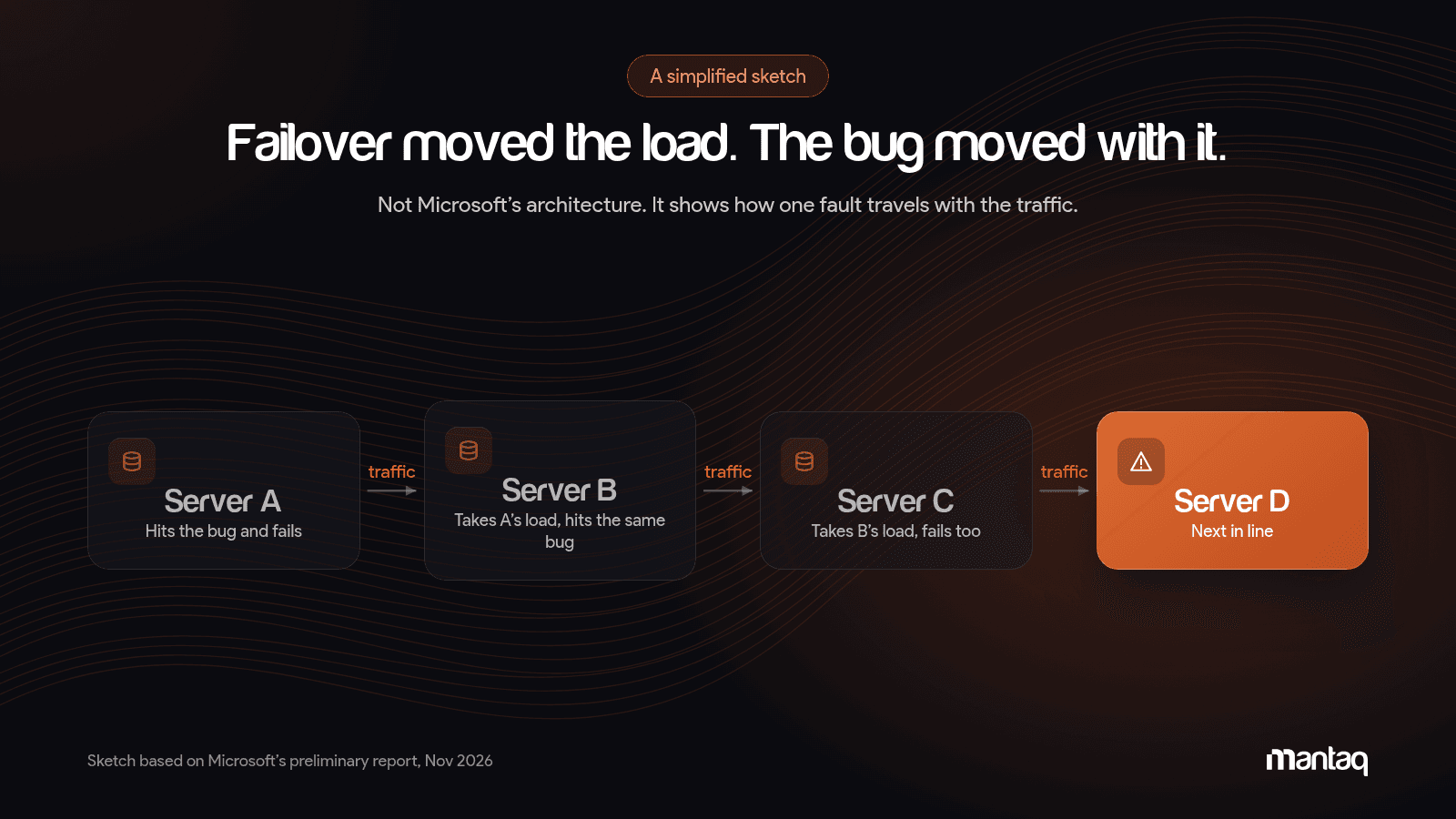
There is one detail worth keeping. At 19:20 UTC, Microsoft determined that the high load it was seeing was not caused by more traffic overall. It was caused by many servers being unavailable, which pushed their load onto the rest. The load was the symptom, not the cause.
The walls were meant to stop this too. The gateway is split into capacity units grouped into regions, with bulkheads between them. Because of a separate issue, the report says, those bulkheads did not stop the cascade, and it spread globally.
Why the load test said everything was fine
The July change had passed load testing. Microsoft says the testing used a different traffic mix and hardware than production: it tended to focus on weaker hardware with fewer cores. The lock contention at the heart of the defect gets worse on machines with more cores and newer hardware.
That is an easy gap to fall into. A test that passes on the machines you have in the lab says little about the machines in the field. If your fleet has mixed hardware, the newest and largest machine is the one to test on.
Why recovery took longer than the failure
The failure took under two hours to spread. Recovery took far longer, for three reasons the report gives.
First, servers that returned to service were immediately overwhelmed by waiting traffic and became unresponsive again. Second, Microsoft's normally automated recovery processes were not designed to restore service from a state where most servers are down. Third, because the defect was months old, its normal rollback, flighting and feature flags could not quickly revert it.
Engineers instead built an update that returned the code path to a previously known good state, and applied it carefully, taking groups of servers out of service, patching and restarting them. Microsoft says it was applied to large amounts of infrastructure at a time, such as half or more of a region. The first mitigation, applied to a portion of the capacity, went in at 07:20 UTC on November 13.
What to test this week
These are our suggestions, not Microsoft's findings. Each one asks what your own system would do on a bad day.
Fail over under real load, with part of your capacity already out of service, and watch whether the fault travels with the traffic.
Test on your largest and newest hardware, not only the cheapest.
Shed load on purpose when servers are failing, so a returning server is not met by a flood.
Practise bringing servers back slowly, with traffic ramped up in steps.
Check whether you can undo a change that is months old, not only last week's.
Each of these can be tried on a small service first.
Where this advice stops
This is one preliminary report from outside, and we only know what Microsoft has published. A small service may not need regional bulkheads at all, and the cheap wins are load shedding, a slow ramp back and a test on production sized hardware.
Back at the servers that fell over the moment they returned, the lesson is that failover moves load but does not remove the fault. If you want help mapping what should happen when a step in your own system goes wrong, our services page shows how we do it, and we can talk it through in a 30-min call.
Frequently asked questions
What is a cascading failure?
It is a failure that spreads because each failed part pushes its load onto the remaining parts, which then fail the same way. Microsoft described its November 2026 outage as one.
How do you prevent cascading failures in system design?
Limit how far a failure can spread with partitions, shed load when servers fail, and ramp traffic back slowly. Test failover with part of your capacity already down.
Why can failover make an outage worse?
Because it moves load onto healthy servers. If the fault is in the code those servers run, they hit the same fault and fail too.
Why can't you just roll back a months old change?
Normal rollback and feature flags are built for recent changes. In Microsoft's case they could not quickly revert a change that had been in place since July.
What should a recovery plan include?
A way to restart servers in steps while limiting traffic to them, and a plan for the state where most servers are down. Microsoft's automated recovery was not designed for that state.